
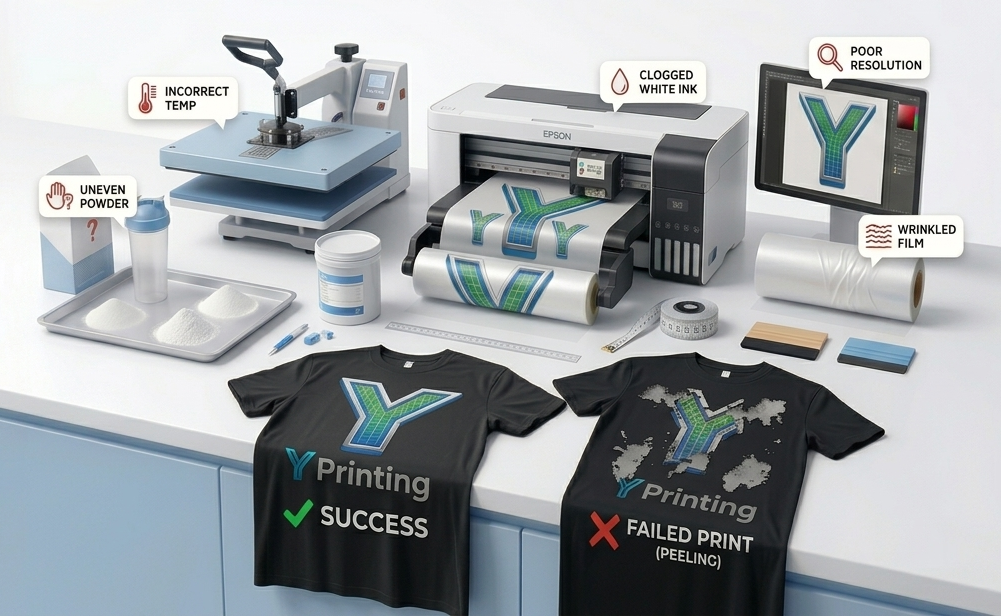
DTF Printing Mistakes: 11 Costly Errors to Avoid
DTF printing has quickly become one of the fastest-growing apparel decoration methods because of its versatility, durability, and ability to print on numerous fabric types. However, success doesn’t happen automatically. Even experienced print shops occasionally encounter issues that waste materials, slow production, and hurt profitability.
Many DTF Printing Mistakes are small at first but can quickly become expensive if they happen repeatedly. A clogged printhead, incorrect curing temperature, or poor-quality film may only ruin a few prints today, but over time, those mistakes add up.
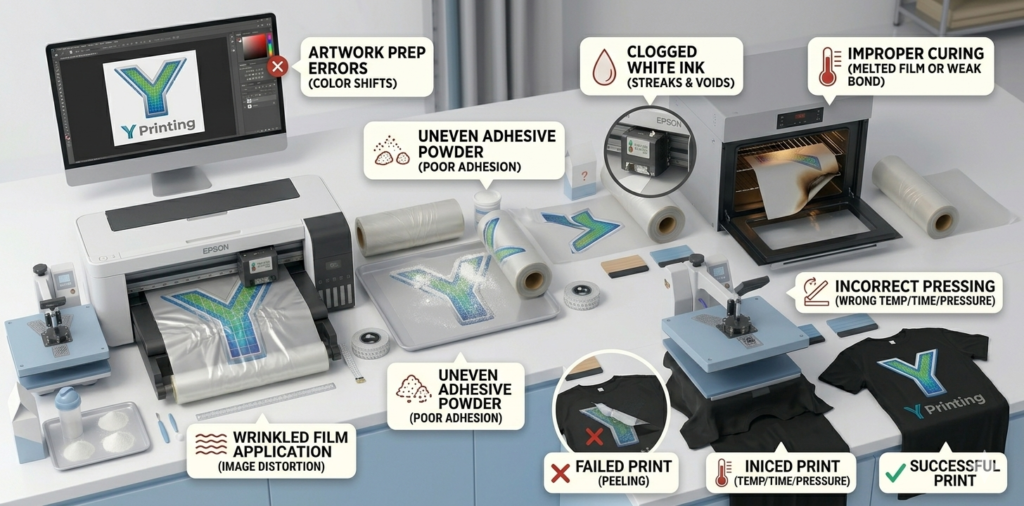
The good news is that most errors are completely preventable.
By understanding the most common problems before they occur, you can create a more efficient workflow, reduce downtime, and consistently deliver high-quality products to your customers.
Here are 11 costly mistakes every DTF printer should avoid.
1. Using Low-Quality DTF Film
Film quality directly affects transfer quality.
Cheap film often causes:
- Poor ink absorption
- Inconsistent release
- Warping during curing
- Reduced durability
Investing in premium film creates more predictable results.
2. Ignoring White Ink Maintenance
White DTF ink contains heavy pigments that settle quickly.
Skipping maintenance often leads to:
- Clogged nozzles
- Ink separation
- Poor opacity
- Expensive printhead damage
Daily White Ink Maintenance Checklist
- Perform nozzle checks
- Verify ink circulation
- Gently agitate tanks
- Clean around the capping station
Consistency is key.
3. Applying Too Much or Too Little Adhesive Powder
Powder application is often overlooked.
Too much powder can create:
- Thick transfers
- Rough textures
- Excess residue
Too little powder can cause:
- Peeling
- Cracking
- Weak adhesion
The goal is a thin, even coat across the entire design.
4. Using Incorrect Heat Press Settings
Incorrect temperatures are one of the most common production errors.
Every material may require slight adjustments.
General guidelines:
- Temperature: 300°F–325°F
- Press time: 10–15 seconds
- Pressure: Medium to firm
Always test before running large orders.
5. Skipping Garment Pre-Pressing
Many beginners overlook this simple step.
Pre-pressing removes:
- Moisture
- Wrinkles
- Static
Why It Matters
Trapped moisture can weaken adhesion and create inconsistent results.
Pre-press garments for 3–5 seconds before applying transfers.
6. Poor Artwork Resolution
Even the best equipment cannot fix low-quality artwork.
For professional results:
- Use 300 DPI images
- Prefer PNG files with transparent backgrounds
- Convert text to outlines when possible
Blurry artwork creates blurry transfers.
Start with quality designs.
7. Neglecting Color Management
Incorrect color profiles can make designs appear inaccurate.
Common mistakes include:
- Generic printer settings
- Incorrect ICC profiles
- Double color correction
Proper color management improves consistency from order to order.
8. Printing in an Uncontrolled Environment
Your workspace matters more than you think.
Environmental factors impact:
- Ink performance
- Powder adhesion
- Film stability
Ideal Conditions
Temperature:
68°F–77°F
Humidity:
45%–60%
Climate control improves reliability.
9. Buying Supplies Based Only on Price
The cheapest materials often create the biggest problems.
Low-cost supplies may lead to:
- More waste
- More reprints
- Poor customer satisfaction
- Increased maintenance
Think long term instead of short term.
Reliable supplies protect profitability.
10. Skipping Preventative Printer Maintenance
Waiting for a printer problem to occur is expensive.
Create a maintenance schedule.
Weekly Maintenance Routine
Daily:
- Nozzle checks
Weekly:
- Clean capping station
- Inspect dampers
Monthly:
- Inspect ink lines
- Deep clean components
Preventative maintenance extends equipment life.
11. Not Standardizing Your Workflow
Many businesses rely on memory instead of documented systems.
Create production standards.
Document:
- Heat settings
- Press times
- Powder amounts
- Product specifications
Repeatable systems create repeatable profits.
Your team will also become more efficient.
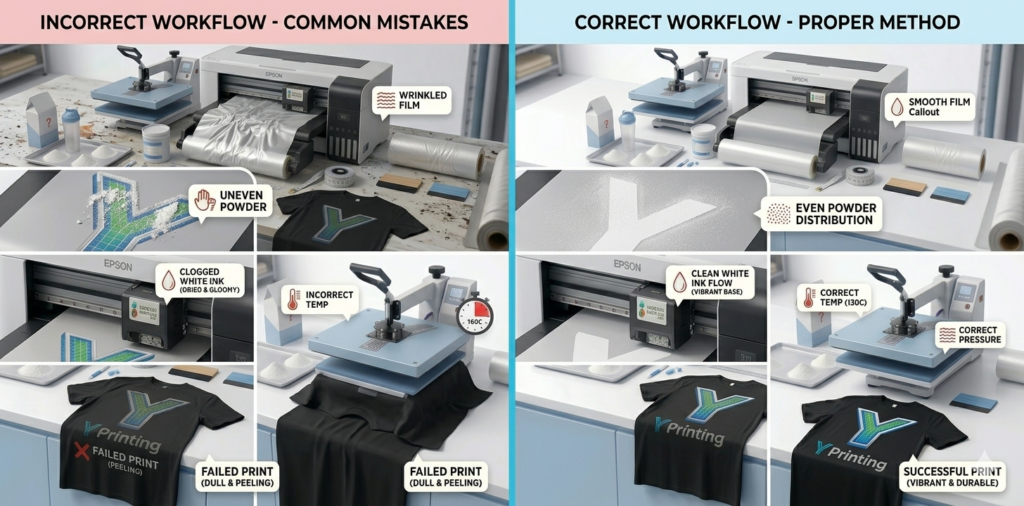
Quick Troubleshooting Checklist
If something goes wrong, ask these questions:
✅ Is my film high quality?
✅ Is white ink circulating?
✅ Is powder evenly distributed?
✅ Are my heat settings accurate?
✅ Did I pre-press the garment?
✅ Is my artwork 300 DPI?
✅ Are my colors calibrated?
✅ Is my room temperature stable?
This checklist can solve many problems before they become expensive.
Build a Complete DTF System Instead of Individual Parts
The most successful businesses don’t view DTF supplies as separate products.
Think of them as a complete ecosystem.
Your system should include:
- Quality transfers
- Premium film
- Reliable inks
- Consistent adhesive powder
- Proper equipment maintenance
When every component works together, production becomes smoother and more profitable.
RELATED Y PRINTING RESOURCES
Naturally include these internal links throughout the blog:
- Browse our DTF Transfers collection
- Explore our DTF Film Products
- Read our DTF Ink Guide
- Learn from our Polyamide Powder Guide
- Discover more About Us
- Scale your business with Custom Printing Solutions
INDUSTRY REFERENCES
Useful resources for continued education:
Every successful DTF business learns one important lesson: consistency beats shortcuts.
Most DTF Printing Mistakes aren’t caused by a lack of skill. They’re caused by small habits that compound over time and eventually hurt productivity and profitability.
By focusing on quality materials, preventative maintenance, proper heat settings, and standardized workflows, you can reduce waste, increase efficiency, and deliver better products to your customers.
At Y Printing, we believe every successful print starts with a complete system designed for reliability, consistency, and growth.
Avoid these 11 costly mistakes, and your business will be positioned for long-term success.
FREQUENTLY ASKED QUESTIONS
What is the most common DTF printing mistake?
Poor white ink maintenance is one of the most common mistakes because it often leads to clogged printheads and inconsistent prints.
Why are my DTF transfers peeling?
Peeling is usually caused by incorrect powder application, insufficient heat, or improper pressure settings.
Does humidity affect DTF printing?
Yes. Excess humidity can impact powder adhesion, film performance, and overall consistency.
How often should I maintain my DTF printer?
Basic maintenance should be performed daily, with deeper inspections performed weekly.
Can cheap DTF supplies hurt print quality?
Absolutely. Low-quality film, ink, and powder often create more waste and inconsistent results.