
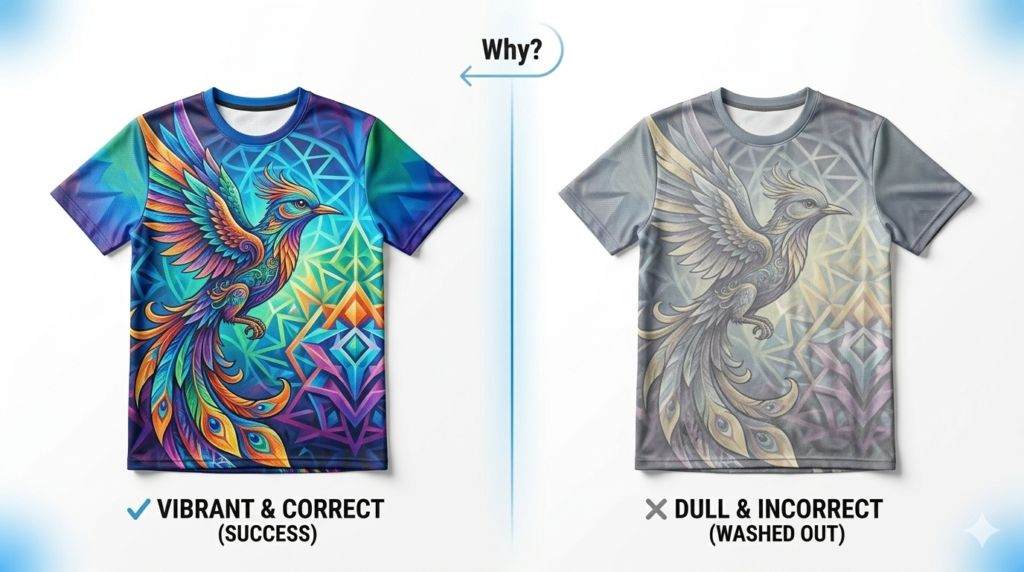
Why Sublimation Colors Look Dull: 7 Critical Causes
Few things are more frustrating than opening a heat press and discovering that your vibrant design turned into a faded, lifeless print. If you’ve ever wondered why sublimation colors look dull, you’re not alone.
Whether you’re creating custom shirts, mugs, mouse pads, or promotional products, dull colors are one of the most common problems businesses encounter. Fortunately, the issue is rarely caused by a single mistake. Instead, multiple factors throughout the printing process can impact the final result.
The good news is that most of these problems are completely fixable.
From incorrect temperature settings to poor substrate selection, understanding the root causes can dramatically improve color vibrancy, reduce wasted materials, and increase customer satisfaction.
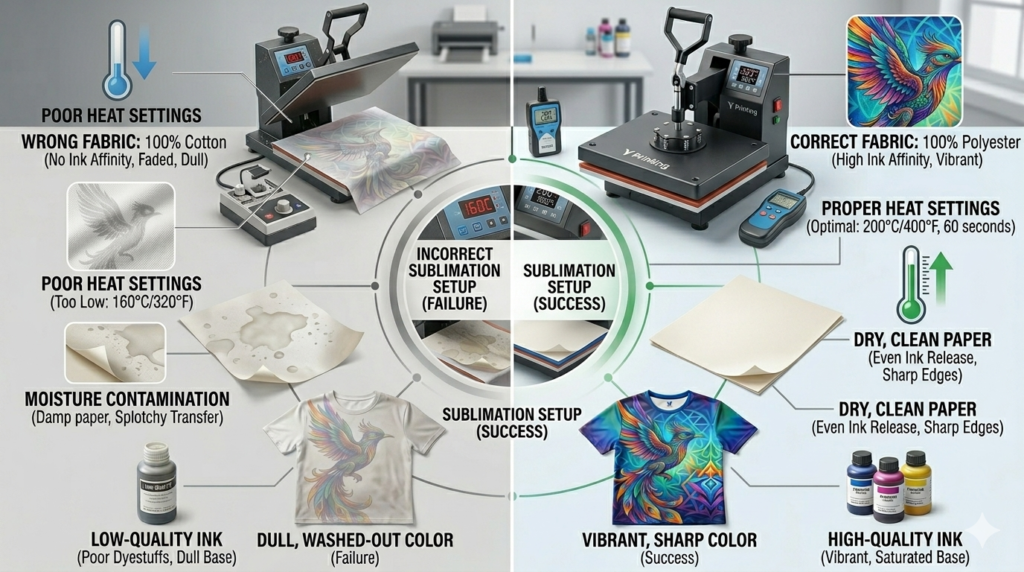
In this guide, we’ll break down seven common causes of why sublimation colors look dull and show you how to achieve brighter, more professional-looking results every time.
1. You’re Using the Wrong Fabric Material
Sublimation printing only bonds properly with polyester materials.
Many beginners attempt sublimation on 100% cotton and become disappointed when the design appears faded.
For best results:
- Use 100% polyester garments
- Choose white or light-colored substrates
- Use polymer-coated hard goods
Recommended products:
- Polyester shirts
- Mouse pads
- Coasters
- Tote bags
- Pillow covers
The higher the polyester percentage, the more vibrant your colors will appear.
2. Your Heat Press Temperature Is Incorrect
Temperature directly affects dye activation.
If the temperature is too low, the ink never fully converts into gas and bonds with the material.
General guidelines:
- Apparel: 385°F–400°F
- Hard goods: 375°F–400°F
- Press time: 45–60 seconds
Always verify temperatures using an infrared thermometer rather than relying solely on heat press displays.
Even a 10-degree difference can impact final color quality.
3. Uneven Pressure Creates Inconsistent Results
Many people overlook pressure settings.
Poor pressure creates:
- Patchy colors
- Faded areas
- Uneven transfers
Signs of Incorrect Pressure
Too light:
- Dull colors
- Incomplete transfers
Too heavy:
- Fabric press marks
- Distortion
Medium, even pressure is typically ideal.
Test your settings before running large production orders.
4. Your Sublimation Paper Quality Is Holding You Back
Paper quality matters more than many people realize.
Low-quality paper can absorb too much ink instead of releasing it efficiently.
Premium sublimation paper offers:
- Better ink release
- Sharper details
- Richer colors
- Faster drying times
Cheap paper often results in muted output.
If you’ve optimized every other variable and still have problems, paper is a likely culprit.
5. Your Color Profiles Are Not Properly Configured
Color management is one of the biggest reasons businesses struggle with dull output.
Without proper ICC profiles, colors printed on paper won’t accurately transfer to the final product.
Common Color Management Mistakes
- Using generic printer settings
- Incorrect ICC profiles
- Double color correction
- Outdated software settings
Proper color management creates consistency across every print run.
Spend time calibrating your workflow once to save time later.
6. Your Sublimation Ink Is Old or Poor Quality
Sublimation inks degrade over time.
Using expired or low-quality ink may lead to:
- Faded colors
- Inconsistent transfers
- Banding issues
Best practices:
- Store inks at room temperature
- Keep bottles sealed
- Avoid direct sunlight
- Follow expiration dates
Premium inks produce richer colors and more reliable results.
Consistency matters when running a business.
7. Moisture Is Ruining Your Transfers
Moisture is one of the most overlooked sublimation enemies.
Humidity can become trapped inside garments and substrates.
This often causes:
- Dull colors
- Blurry edges
- Ghosting
How to Remove Moisture
Before pressing:
- Pre-press garments for 5–10 seconds
- Store blanks in climate-controlled areas
- Keep paper sealed when not in use
This small habit can dramatically improve your final product.
Troubleshooting Checklist for Brighter Sublimation Colors
If your prints look dull, ask yourself these questions:
✅ Is my substrate at least 65% polyester?
✅ Is my temperature accurate?
✅ Is my pressure consistent?
✅ Am I using quality sublimation paper?
✅ Are my ICC profiles configured?
✅ Is my ink fresh?
✅ Did I remove moisture first?
Most color issues can be resolved by addressing one or two of these variables.
Building a Better Production Workflow
The best print shops rely on systems, not guesswork.
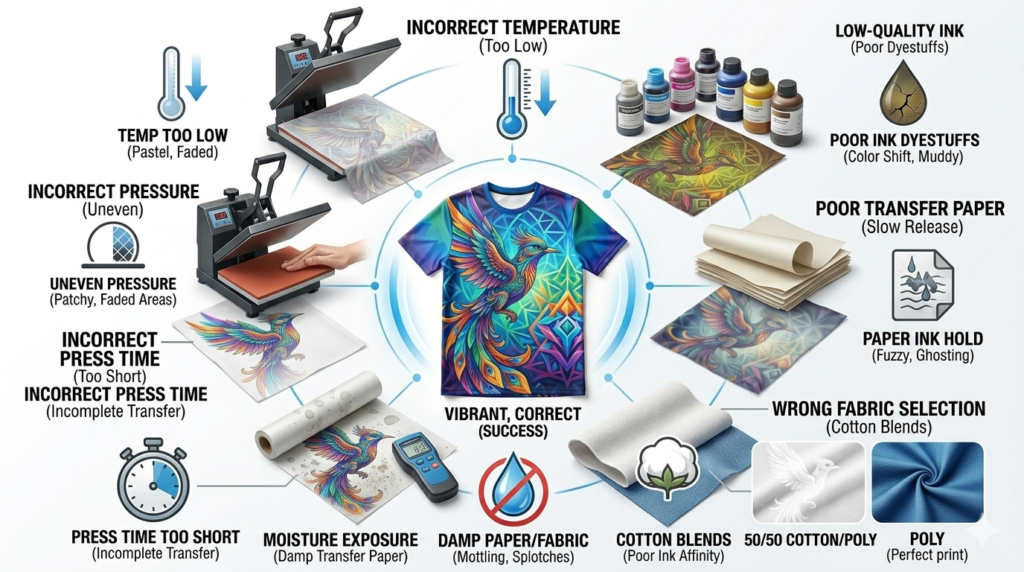
A successful sublimation workflow includes:
- Quality blanks
- Premium inks
- Proper color management
- Correct press settings
- Consistent environmental conditions
Document your settings for each product you sell.
This creates repeatable results and reduces production errors over time.
RELATED Y PRINTING RESOURCES
- Browse our DTF Transfers collection
- Explore our DTF Film Products
- Read our DTF Ink Guide
- Learn from our Polyamide Powder Guide
- Discover more About Us
- Scale your business with our Custom Printing Solutions
INDUSTRY REFERENCES
Helpful resources for continued learning:
If you’ve been wondering why sublimation colors look dull, remember that the answer is usually a combination of small variables rather than one major issue.
Material selection, temperature, pressure, paper quality, color management, ink freshness, and moisture control all work together to determine the final result.
By optimizing each step of your workflow, you’ll produce brighter, more professional products while reducing waste and increasing customer satisfaction.
At Y Printing, we believe consistent results start with quality materials and reliable processes that help businesses grow with confidence.
FREQUENTLY ASKED QUESTIONS
Why do sublimation colors look faded after pressing?
The most common causes are low polyester content, incorrect temperature, or poor color management settings.
Does sublimation work on cotton?
No. Sublimation works best on polyester or polymer-coated products.
Why do colors look dull before pressing?
This is normal. Sublimation prints appear muted on paper and become vibrant after heat activation.
Can humidity affect sublimation?
Yes. Moisture can cause dull colors, ghosting, and blurry transfers.
Does better sublimation ink improve colors?
Absolutely. Premium inks provide more vibrant and consistent results compared to lower-quality alternatives.